padelscore — Wearable score counter for padel and tennis
A handheld, pocket-sized score counter for padel and tennis matches. Custom 33×38mm PCB, OLED display, two buttons, LiPo battery. Built in two MCU variants (RP2040 standalone, nrf52840 with planned cloud sync) on the same interchangeable base board.
Problem
Padel is fast: points, games, golden points, tiebreaks, the server indicator. When two friends play, the most common way to lose track of the score is to forget whether it was 30-30 or 30-40, who is serving, or what the set count is. Phones work but they get sweaty, take time to unlock, and break the flow of the game.
Solution
A dedicated pocket device that counts points, games and sets for padel and tennis, picks the server, and shows a full scoreboard view. Two large buttons drive everything: short press adds a point, long press rewinds, holding both opens the global scoreboard. The OLED shows the running score plus a server indicator. Scoring mode (Golden Point or Advantage) is selectable at boot. The whole thing fits in the palm of a hand and runs a full match on a single LiPo charge.
Key takeaways
- Custom 33×38mm PCB designed in KiCad, hand-soldered
- Stackable MCU module: RP2040 for standalone, XIAO nrf52840 for cloud-capable
- SSD1306 OLED 0.96" I2C display, two tactile buttons, USB-C charging
- TP4056 LiPo charger + boost converter on the same board
- Bare-metal C/C++ firmware, Golden Point / Advantage modes, tiebreak tracking, server indicator
- Two-button gesture system: short press, long press, hold-to-rewind, hold-both for global scoreboard
The problem with phones
I play padel regularly, and after a while the same thing kept happening: at 30-30 (or whatever the current state was) someone would lose track and we’d spend a minute reconstructing the score. Phones are fine in theory, but in practice you don’t want to unlock the phone, open an app, and tap the right button while sweating and trying to serve. We needed a device that does one thing well and does it instantly.
The device
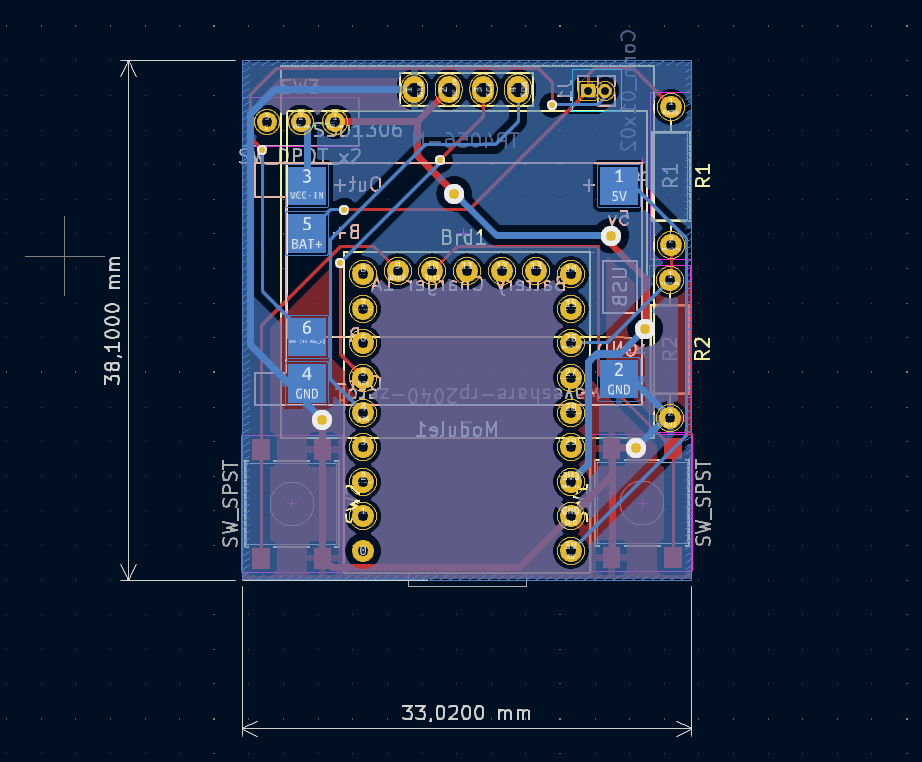
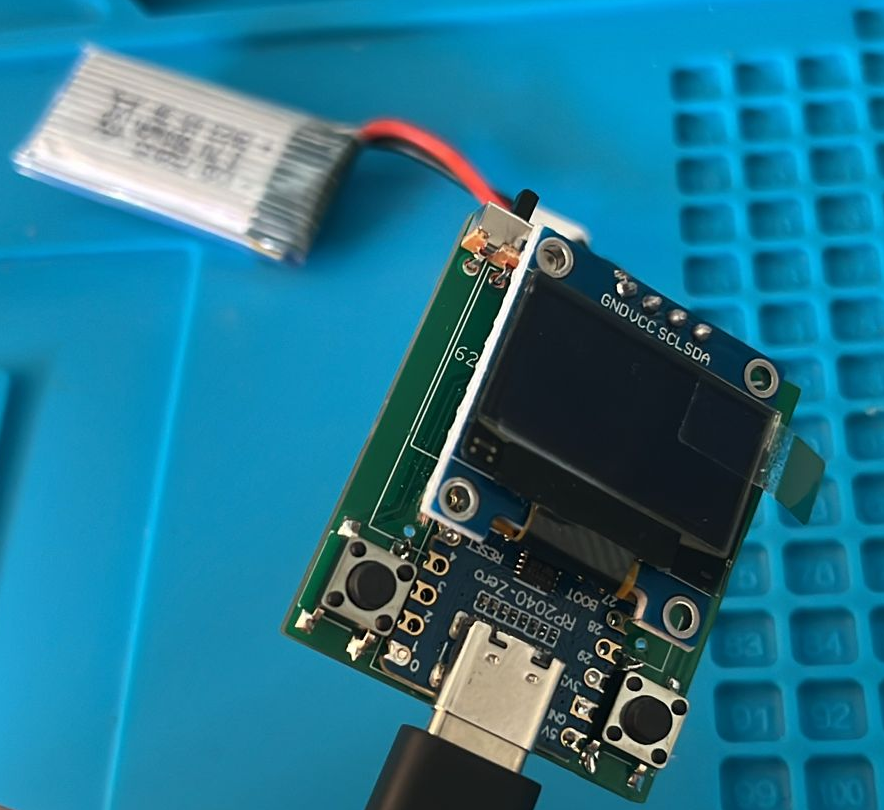
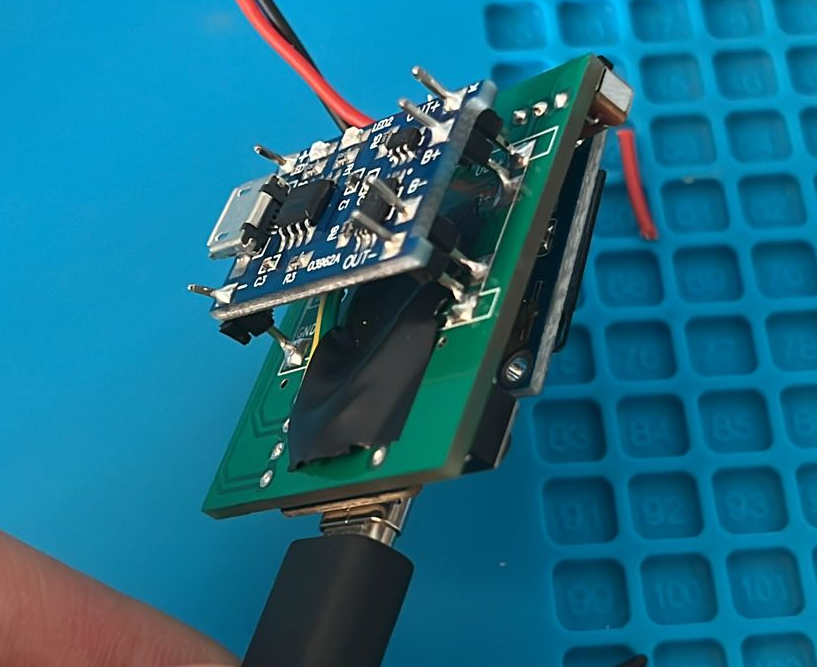
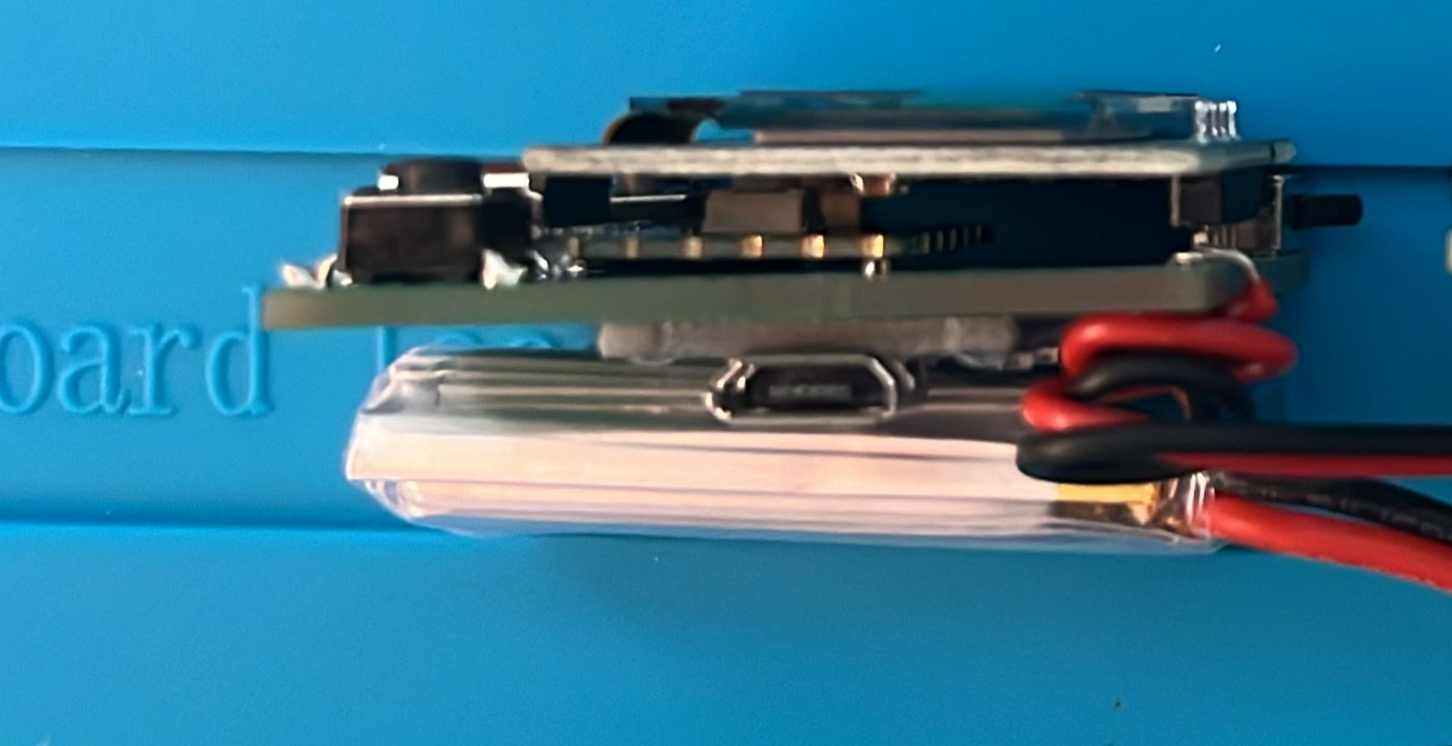
The board is 33×38mm — pocket-sized, smaller than a padel ball can cover. The front carries the SSD1306 OLED (0.96”, I2C) and two large tactile buttons. The back carries a TP4056 LiPo charger and a boost converter, plus a USB-C connector for charging. The MCU is a separate module that plugs into a footprint on the same board, which is the design decision that made the two variants possible without redesigning the carrier.
Two variants were built:
- v1, RP2040: the simplest possible MCU that can drive an I2C display and read two buttons. No connectivity. Works as a pure standalone counter.
- v2, XIAO nrf52840: same form factor, same carrier, swap the module. Adds BLE and a path to cloud sync (MQTT was the original plan, then BLE-to-phone as a low-power alternative — neither was completed, see below).
How the two buttons do everything
At power-on the user picks a scoring mode: Golden Point (the modern padel standard: at 40-40 the next point wins) or Advantage (classic tennis: deuce + advantage point). The main screen shows the current game, the set score, the server indicator (a small triangle next to whichever player is serving), and the active mode.
The button gestures:
- Short press left = point for Team 1
- Short press right = point for Team 2
- Hold right for 1 second = rewind the last point (release to confirm; the score rolls back to the previous state)
- Hold right for 5 seconds = full reset, returns to the same scoring mode
- Hold left for 1 second, then short-press to cycle, then right to confirm = change the server indicator (the icon blinks to signal edit mode)
- Press both at the same time = open the global scoreboard (per-set grid: J1 / J2 / J3 with each team’s points)
At the end of a match the screen locks with a “FINAL” tag and the buttons stop responding — the device just shows the result. A “T!” tag appears on the mode indicator when the current game is a tiebreak.
The prototype in photos
The renders and the actual hardware. Nothing here is a render pretending to be a real device — these are the carrier board, the layout file, and the two hand-built prototypes.


What worked and what didn’t
The hardware side worked: the PCB came out clean, the OLED and the buttons behave as expected, the LiPo charger does its job, the whole device boots and counts reliably. The split between carrier board and MCU module turned out to be a good call — it let me iterate the connectivity story (RP2040 → nrf52840) without redesigning the rest.
The cloud sync did not. The plan was to push the running score to a phone or a backend so that someone watching the match could see it on a second screen (useful in tournaments). The RP2040 has no radio, the nrf52840 has BLE but the nrf52840’s power budget on a small LiPo is tight, and MQTT from a battery-powered device without a WiFi chip requires an extra radio. BLE-to-phone is the most reasonable path and I scoped it out, but never finished the firmware. The v2 device is built, the cloud part is not.
What I would do differently today
Looking back at the project, three things stand out:
- The two-button model works for two players, but a third clickable spinning-wheel selector with a gear-shaped knob would have made configuration trivial. A rotary encoder for the settings menu, with the tactile gear-knob you turn to scroll and press to confirm, would have removed all the long-press / hold-both-button gestures and made the device self-explanatory. Two large buttons for in-game scoring, one spinning wheel for setup and mode selection — a cleaner split.
- The LiPo charging chip is the wrong place to be clever. A simpler module (a USB LiPo charger board off-the-shelf, with the boost converter integrated) would have saved me a week of debugging.
- Cloud sync should have been BLE-to-phone from day one. MQTT direct from the device was over-engineering for a hobby project; a phone app that mirrors the score is enough for the second-screen use case.
The hardware is real, the firmware runs, and the device sits in my padel bag. The cloud story is the bit that never closed.